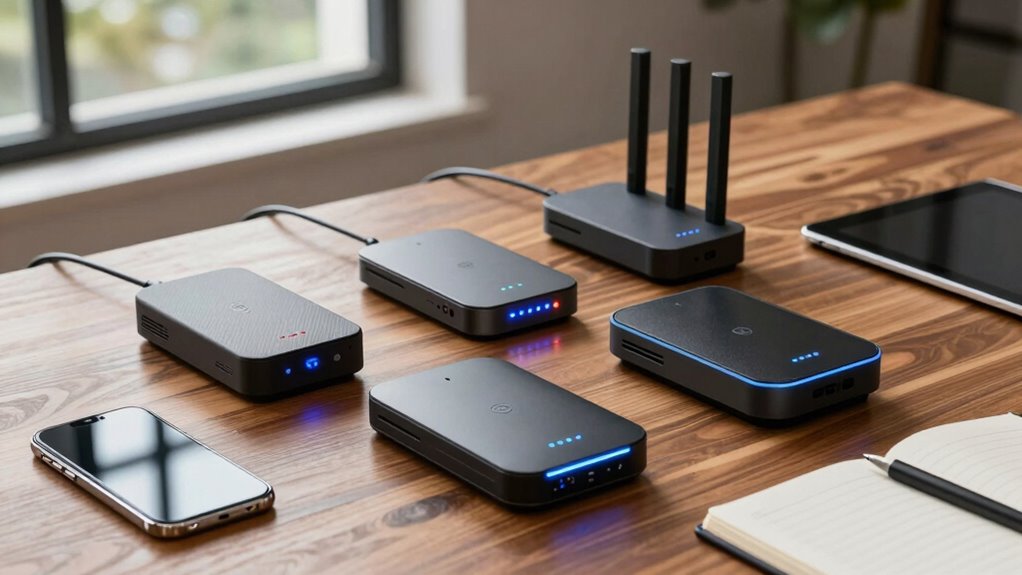

When selecting a portable wifi router for event management, reliability and speed are paramount. The Roam 6 AX1500 stands out as the best overall choice thanks to its balance of performance and portability. The GL.iNet GL-BE3600 Slate offers cutting-edge Wi-Fi 7 technology for future-proof connectivity, making it ideal for tech-heavy events. However, tradeoffs include price and complexity—more advanced models tend to be pricier and require better technical know-how. Keep reading for a detailed comparison to help you choose the best device for your event needs.

Get pool and patio gear delivered free with Prime
- Fast, free delivery on millions of items
- Prime Video, Amazon Music and more included
- Member-only deals all year
Complete the kit



Key Takeaways
- The top models balance speed, coverage, and portability, but premium options come with higher costs.
- Wi-Fi 6 and Wi-Fi 7 devices outperform Wi-Fi 5 in speed and future-proofing, but may be more complex to set up.
- Dual-band and multi-antenna designs ensure better coverage for larger events, but size and battery life vary significantly.
- Ease of use is critical for quick deployment at events; some models prioritize simplicity over advanced features.
- Price often correlates with features like faster speeds, better coverage, and future-proof technology.
| Roam 6 AX1500 Portable Wi-Fi 6 Travel Router Dual-Band USB-C 3.0 |  | Best Overall for Versatile Travel and Event Setup | Wi-Fi Speed: up to 1,201 Mbps (5 GHz) and 300 Mbps (2.4 GHz) | Ports: 1 Gbps WAN/LAN port, 1 Gbps LAN port, USB-C port | Device Capacity: up to 60 devices | VIEW ON AMAZON | See Our Full Breakdown |
| TP-Link Roam 6 AX1500 Portable Wi-Fi 6 Travel Router |  | Best Value for Versatility and Speed | Wi-Fi Standard: Wi-Fi 6 | Speed: 1201 Mbps on 5 GHz, 300 Mbps on 2.4 GHz | Ports: 2 gigabit ports, 1 USB 2.0 port, Type-C power port | VIEW ON AMAZON | See Our Full Breakdown |
| GL.iNet GL-BE3600 Slate 7 Wi-Fi 7 Travel Router with Touchscreen |  | Best for Customization and Advanced Security | Wireless Speed: up to 2882 Mbps (5G) | Wi-Fi Generation: Wi-Fi 7 | Ethernet Ports: 2.5G (1x WAN, 1x LAN) | VIEW ON AMAZON | See Our Full Breakdown |
| TP-Link WiFi Travel Router (WiFi 5) | 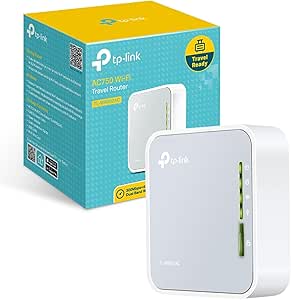 | Best Budget Choice for Basic Needs | Wireless Standards: IEEE 802.11ac/n/a 5GHz, IEEE 802.11b/g/n 2.4GHz | Wireless Speed: up to 733 Mbps | Ports: 1 WAN/LAN port, 1 USB 2.0 port | VIEW ON AMAZON | See Our Full Breakdown |
| GL.iNet GL-SFT1200 Opal Travel Router, AC1200 Dual-Band Wi-Fi |  | Best for Secure, High-Speed Travel Connections | Wireless Speed: 1200 Mbps | Wi-Fi Generation: Wi-Fi 5 | Ports: 2 LAN, 1 WAN, USB 3.0 | VIEW ON AMAZON | See Our Full Breakdown |
| TP-Link Roam 6 AX3000 Dual-Band Wi-Fi 6 Travel Router |  | Best Overall for Versatile Travel Connectivity | Wireless Speed: up to 2402 Mbps on 5 GHz and 574 Mbps on 2.4 GHz | Wi-Fi Standard: Wi-Fi 6 | Ports: 1x 2.5 Gbps WAN/LAN, 1x 1 Gbps LAN, USB 3.0 | VIEW ON AMAZON | See Our Full Breakdown |
| Roam 6 AX3000 Portable Wi-Fi 6 Travel Router Dual-Band USB-C 3.0 |  | Best for Easy Setup and Travel-Friendly Performance | Wi-Fi Standard: Wi-Fi 6 (802.11ax) | Max Speed: 2402 Mbps (5 GHz), 574 Mbps (2.4 GHz) | Ports: 2 Gigabit Ethernet, 1 USB 3.0, USB-C | VIEW ON AMAZON | See Our Full Breakdown |
| Roam 7 BE3600 Wi-Fi 7 Portable Travel Router Dual-Band, 2.5G Port, USB 3.0 |  | Best for High-Speed, High-Capacity Wireless Connectivity | Wi-Fi Technology: Wi-Fi 7 | Bands: Dual-Band (2.4 GHz and 5 GHz) | Max Wireless Speed: 2882 Mbps on 5 GHz, 688 Mbps on 2.4 GHz | VIEW ON AMAZON | See Our Full Breakdown |
| portable wifi router device for event management | Ports | Wireless Speed |
|---|---|---|
| Roam 6 AX1500 Portable Wi-Fi 6 | 1 Gbps WAN/LAN port, 1 Gbps LAN port, USB-C port | — |
| TP-Link Roam 6 AX1500 Portable | 2 gigabit ports, 1 USB 2.0 port, Type-C power port | — |
| GL.iNet GL-BE3600 Slate 7 Wi-F | — | up to 2882 Mbps (5G) |
| TP-Link WiFi Travel Router | 1 WAN/LAN port, 1 USB 2.0 port | up to 733 Mbps |
| GL.iNet GL-SFT1200 Opal Travel | 2 LAN, 1 WAN, USB 3.0 | 1200 Mbps |
| TP-Link Roam 6 AX3000 Dual-Ban | 1x 2.5 Gbps WAN/LAN, 1x 1 Gbps LAN, USB 3.0 | up to 2402 Mbps on 5 GHz and 574 Mbps on 2.4 GHz |
| Roam 6 AX3000 Portable Wi-Fi 6 | 2 Gigabit Ethernet, 1 USB 3.0, USB-C | — |
| Roam 7 BE3600 Wi-Fi 7 Portable | 1x 2.5 Gbps WAN, 1x 1 Gbps LAN, USB 3.0, Type-C | — |
More Details on Our Top Picks
Roam 6 AX1500 Portable Wi-Fi 6 Travel Router Dual-Band USB-C 3.0
The Roam 6 AX1500 stands out as the most adaptable option for event managers needing reliable, high-speed Wi-Fi on the move. Its support for Wi-Fi 6 ensures fast, stable connections across up to 60 devices, outperforming older Wi-Fi 5 models like the TP-Link TL-WR902AC. Unlike the GL.iNet GL-BE3600 with Wi-Fi 7, this device offers easier setup and broader compatibility for typical event environments, but it sacrifices advanced open-source customization. The multiple connection modes and VPN support provide security and flexibility, essential for managing diverse client needs. However, its limited security features and lack of open firmware mean less control for power users. This pick is perfect for professionals who prioritize reliable, fast connectivity without complex configurations.
Pros:- Supports Wi-Fi 6 for high-speed, stable connections
- Connects up to 60 devices simultaneously
- Easy setup via app or web interface
- Supports secure VPN protocols
Cons:- Does not support OpenWRT or advanced firmware customization
- Wi-Fi speeds can vary with environment
- Limited security features beyond VPN support
Best for: Event organizers and remote workers requiring fast, reliable Wi-Fi with simple setup.
Not ideal for: Tech-savvy users seeking extensive customization or open-source firmware options.
- Wi-Fi Speed:up to 1,201 Mbps (5 GHz) and 300 Mbps (2.4 GHz)
- Ports:1 Gbps WAN/LAN port, 1 Gbps LAN port, USB-C port
- Device Capacity:up to 60 devices
- Power Source:USB-C port, 5V/3A PD power source
- Security:Supports OpenVPN and WireGuard
Our verdict“This device suits event managers who need dependable, high-speed Wi-Fi with straightforward setup and broad device support.”
TP-Link Roam 6 AX1500 Portable Wi-Fi 6 Travel Router
The TP-Link Roam 6 AX1500 offers a compelling blend of speed and portability, making it ideal for event staff who need reliable Wi-Fi on the go. Its support for Wi-Fi 6 speeds up to 1201 Mbps on 5 GHz surpasses many Wi-Fi 5 options like the GL.iNet GL-SFT1200, providing faster streaming and data transfer. Unlike the GL.iNet GL-BE3600 with Wi-Fi 7, the TP-Link model strikes a balance with a straightforward interface and multiple modes, including router, hotspot, and access point. While it lacks open-source firmware, its versatility and multiple power options—including use of a power bank—make it a strong choice for temporary setups. The main tradeoff is that it relies on external power sources and supports only Wi-Fi 6 devices for optimal performance.
Pros:- Fast Wi-Fi 6 speeds suitable for demanding tasks
- Supports multiple modes for flexible deployment
- Portable with multiple power options including power bank
- Compact size fits easily into luggage
Cons:- No support for OpenWRT or custom firmware
- Requires external power source, no built-in battery
- Limited to Wi-Fi 6 for optimal performance
Best for: Event teams and mobile professionals wanting fast, versatile Wi-Fi with easy deployment.
Not ideal for: Power users seeking open-source firmware or full customization options.
- Wi-Fi Standard:Wi-Fi 6
- Speed:1201 Mbps on 5 GHz, 300 Mbps on 2.4 GHz
- Ports:2 gigabit ports, 1 USB 2.0 port, Type-C power port
- Modes:Router, Hotspot, Access Point/Repeater/Client
- Device Capacity:Supports multiple devices
Our verdict“Ideal for event staff needing quick, reliable Wi-Fi with multiple modes in a portable package without complex setup.”
GL.iNet GL-BE3600 Slate 7 Wi-Fi 7 Travel Router with Touchscreen
The GL.iNet GL-BE3600 Slate 7 introduces Wi-Fi 7 technology combined with a touchscreen interface, making it an excellent choice for technically inclined event managers. Its high-speed dual-band Wi-Fi 7 supports speeds up to 2882 Mbps on 5 GHz, far exceeding Wi-Fi 6 models like the Roam 6 AX1500. The touchscreen enables quick control, while open-source OpenWrt firmware offers unmatched customization for security and network configurations. Unlike the simpler TP-Link Roam 6 AX1500, this device caters to users comfortable with complex setups, providing support for VPN client and server functions simultaneously. However, the setup process can be intimidating for non-technical users, and an active VPN subscription is necessary for full security features. It’s best suited for those who need maximum control over their network environment during events.
Pros:- High-speed Wi-Fi 7 with dual-band support
- Touchscreen interface for quick, intuitive control
- Open-source firmware allows extensive customization
- Supports VPN client and server simultaneously
Cons:- Setup complexity may be challenging for non-technical users
- Requires active VPN subscription for full security
- Performance varies based on environment
Best for: Tech-savvy event managers or security-focused professionals needing advanced customization.
Not ideal for: Users seeking a plug-and-play solution or with limited technical experience.
- Wireless Speed:up to 2882 Mbps (5G)
- Wi-Fi Generation:Wi-Fi 7
- Ethernet Ports:2.5G (1x WAN, 1x LAN)
- Display:Touchscreen
- Firmware:OpenWrt 23.05
Our verdict“This router is best for highly technical users needing maximum control and security during event setups.”
TP-Link WiFi Travel Router (WiFi 5)
The TP-Link TL-WR902AC offers a compact, budget-friendly solution for creating wireless networks during events. Its support for dual-band Wi-Fi 5 (AC750) makes it suitable for light streaming or basic connectivity needs, such as sharing internet with a few devices. Compared to newer Wi-Fi 6 models like the Roam 6 AX1500, it falls short in speed and device capacity but remains a reliable, low-cost option for small-scale setups. Its multiple modes, including range extender and access point, add versatility, but performance can suffer with obstacles or many connected devices. The limited Ethernet ports and lack of advanced security features make it less ideal for complex event environments but sufficient for simple, short-term use.
Pros:- Compact and lightweight for travel
- Supports multiple modes (router, extender, access point)
- Affordable price point
- Dual-band Wi-Fi with reasonable speeds
Cons:- Limited speed and device capacity compared to Wi-Fi 6 models
- Performance can degrade with obstacles or many devices
- Only one Ethernet port
Best for: Small event teams or individual organizers needing a straightforward, affordable Wi-Fi solution.
Not ideal for: Large events or environments requiring high bandwidth and multiple device support.
- Wireless Standards:IEEE 802.11ac/n/a 5GHz, IEEE 802.11b/g/n 2.4GHz
- Wireless Speed:up to 733 Mbps
- Ports:1 WAN/LAN port, 1 USB 2.0 port
- Modes:Router, Extender, Access Point
- Frequency:2.4GHz and 5GHz
Our verdict“This router fits small-scale event setups where cost is a priority over speed and advanced features.”
GL.iNet GL-SFT1200 Opal Travel Router, AC1200 Dual-Band Wi-Fi
The GL.iNet GL-SFT1200 Opal combines solid Wi-Fi 5 performance with full gigabit ports and VPN support, making it suitable for event managers prioritizing security and speed. Its dual-band support delivers speeds up to 1200 Mbps, comparable to the Roam 6 AX1500 but with the added benefit of open-source OpenWrt firmware, allowing extensive customization for security and network management. The retractable antennas enhance signal reception, especially in challenging environments. Unlike basic travel routers such as the TP-Link TL-WR902AC, the Opal handles multiple wired and wireless devices simultaneously and offers advanced VPN options. Its main limitations are the need for manual configuration, no easy tethering, and variable speed tests depending on environment, making it more suited for users comfortable with network setup.
Pros:- Supports full gigabit wired and wireless speeds
- OpenWrt firmware for deep customization
- Retractable antennas improve signal reception
- Supports multiple VPN protocols
Cons:- Complex initial setup for non-technical users
- No dedicated tethering or built-in battery
- Speed can vary based on environment
Best for: Security-conscious professionals needing flexible, high-speed, wired and wireless connections during events.
Not ideal for: Users seeking a simple, plug-and-play router without configuration hassle.
- Wireless Speed:1200 Mbps
- Wi-Fi Generation:Wi-Fi 5
- Ports:2 LAN, 1 WAN, USB 3.0
- Antenna:2 retractable
- Firmware:OpenWrt
Our verdict“This router is best suited for security-focused users who want high-speed, customizable network management during events.”
TP-Link Roam 6 AX3000 Dual-Band Wi-Fi 6 Travel Router
The TP-Link Roam 6 AX3000 stands out for its combination of high-speed Wi-Fi 6 and multi-mode support, making it an excellent choice for event managers who need reliable internet on the go. Compared with the Roam 6 AX1500, it offers faster speeds and more advanced security features like VPN support, ideal for busy event environments requiring robust privacy. However, it’s less flexible for firmware customization since it doesn’t support OpenWRT, which some power users might prefer. Its compact size and multiple modes—router, hotspot, access point—make setup straightforward, but it’s best for those with Wi-Fi 6 compatible devices to realize full performance. This model is perfect for professionals needing fast, secure connections during events where reliability is key.
Pros:- Supports Wi-Fi 6 speeds for fast, seamless connectivity
- Multiple operation modes for flexible deployment
- Secure VPN support enhances privacy during sensitive events
- Compact, travel-friendly design
Cons:- Lacks support for OpenWRT firmware for advanced customization
- Requires app setup, which might be complex for non-technical users
- Limited to Wi-Fi 6 compatible devices for maximum throughput
Best for: Event coordinators and tech teams who require secure, high-speed internet in varied locations with multiple device types.
Not ideal for: Users seeking open-source firmware support or working with older Wi-Fi 5 devices, as performance may be limited.
- Wireless Speed:up to 2402 Mbps on 5 GHz and 574 Mbps on 2.4 GHz
- Wi-Fi Standard:Wi-Fi 6
- Ports:1x 2.5 Gbps WAN/LAN, 1x 1 Gbps LAN, USB 3.0
- Power Supply:USB-C port, compatible with 5V PD power sources
- Supports:OpenVPN, WireGuard, PPTP, L2TP
- MicroSD Card Capacity:up to 512GB
Our verdict“This router suits tech-savvy event managers needing reliable, high-speed Wi-Fi with strong security features.”
Roam 6 AX3000 Portable Wi-Fi 6 Travel Router Dual-Band USB-C 3.0
The Roam 6 AX3000 provides fast dual-band Wi-Fi 6 speeds up to 2,402 Mbps, making it well-suited for travelers who need reliable internet during events or at home. Its compact size and lightweight design make it a strong alternative to bulkier routers like the Roam 7 BE3600, especially for users prioritizing portability. While it offers excellent speeds and VPN support for secure browsing, it doesn’t support OpenWRT, limiting firmware flexibility for advanced users. The setup process is straightforward via app or web interface, which is ideal for those less comfortable with tech. Overall, this model makes the most sense for event organizers who need quick, secure Wi-Fi on the move, but it’s less suitable for environments demanding ultra-high device capacity or Wi-Fi 7 speeds.
Pros:- Supports fast Wi-Fi 6 speeds for multiple devices
- Compact and lightweight for portability
- Secure VPN options with OpenVPN and WireGuard
- Simple setup via app or web
Cons:- No support for OpenWRT firmware for customization
- Theoretical max speeds may vary in real-world scenarios
- Limited to Wi-Fi 6 devices for optimal performance
Best for: Travelers and small event teams seeking an easy-to-use, portable router with reliable Wi-Fi 6 performance.
Not ideal for: Power users needing extensive customization or environments with a high number of simultaneous devices, where higher capacity or Wi-Fi 7 would be beneficial.
- Wi-Fi Standard:Wi-Fi 6 (802.11ax)
- Max Speed:2402 Mbps (5 GHz), 574 Mbps (2.4 GHz)
- Ports:2 Gigabit Ethernet, 1 USB 3.0, USB-C
- Dimensions:4.7 x 3.6 x 1.3 inches
- Weight:0.4 lbs
- Coverage:Up to 1500 sq. ft.
Our verdict“Ideal for event professionals who need a portable, user-friendly Wi-Fi 6 router for quick deployment on the go.”
Roam 7 BE3600 Wi-Fi 7 Portable Travel Router Dual-Band, 2.5G Port, USB 3.0
The Roam 7 BE3600 introduces Wi-Fi 7, delivering speeds up to 2,882 Mbps on the 5 GHz band, making it perfect for large events with many connected devices. Its support for multiple modes—router, hotspot, access point, range extender, and client—compared to the simpler modes of the Roam 6 models, offers unmatched versatility for various event setups. The high-speed wired ports and support for up to 90 devices make it suitable for complex environments, but it requires an external power source, which may limit portability in some situations. The advanced security options, including WPA3 and VPN support, add a layer of protection for sensitive data during events. This router is best for tech-heavy event scenarios demanding maximum capacity and speed, but it’s overkill for small or less demanding setups.
Pros:- Supports Wi-Fi 7 for fastest wireless speeds and capacity
- Multiple modes for flexible deployment
- High-speed wired ports for reliable connections
- Supports up to 90 devices simultaneously
Cons:- Requires external power, reducing portability
- No support for 6 GHz Wi-Fi band currently
- Setup complexity increases with advanced security features
Best for: Large-scale event organizers or remote work teams needing cutting-edge Wi-Fi 7 performance and extensive device support.
Not ideal for: Travelers or small teams with minimal device needs, as the high capacity and advanced features may be unnecessary and the device less portable.
- Wi-Fi Technology:Wi-Fi 7
- Bands:Dual-Band (2.4 GHz and 5 GHz)
- Max Wireless Speed:2882 Mbps on 5 GHz, 688 Mbps on 2.4 GHz
- Ports:1x 2.5 Gbps WAN, 1x 1 Gbps LAN, USB 3.0, Type-C
- Device Support:Up to 90 devices
- Security:VPN support with OpenVPN and WireGuard, WPA3 encryption
Our verdict“This router fits large, tech-forward events needing maximum wireless capacity and speed, with less emphasis on portability.”

How We Picked
I evaluated these portable wifi routers based on key factors that matter for event management: network performance, coverage area, ease of setup and use, build quality, and value for money. Devices were compared on their supported Wi-Fi standards, compatibility, battery life, and portability. Priority was given to models that excel in real-world scenarios, such as supporting multiple users and quick deployment. The ranking reflects a balance between cutting-edge features and practical usability, ensuring options suitable for different event sizes and technical expertise levels.Factors to Consider When Choosing Portable Wifi Router Device For Event Management
Choosing the right portable wifi router for event management requires understanding several core aspects. Not all routers are created equal—some prioritize speed, others ease of use, and some focus on coverage. To make an informed decision, consider your event’s size, the number of devices, and the technical skill level of your team. Price and future-proofing also matter, especially for recurring events. The following sections will guide you through these important factors, helping you avoid common pitfalls and select a device that meets your specific needs.Coverage and Range
For event management, coverage is critical. Larger venues demand routers with multiple antennas and strong signal strength to reach all corners without dead zones. Look for models that specify their maximum range, and consider whether you need a device with mesh capabilities or multiple SSIDs. Beware of compact models that might sacrifice coverage for portability. Balancing size and performance is key—choose a device that can reliably support all your devices throughout the event space.
Speed and Technology Standards
Fast connection speeds improve user experience, especially when streaming or sharing large files during an event. Wi-Fi 6 and Wi-Fi 7 standards offer significant improvements over Wi-Fi 5, including higher throughput and lower latency. While upgrading to the latest standards tends to increase cost, it can future-proof your setup, reducing the need for frequent replacements. Keep in mind that actual speeds depend on your internet plan and client device compatibility—higher standards are only advantageous if your event requires intensive data transfer.
Ease of Setup and Management
At events, quick deployment can make a big difference. Some routers come with intuitive apps or touchscreen interfaces that simplify setup, while others may require more technical knowledge. Consider whether you need features like remote management or quick reset options, especially if you’ll be setting up multiple times. Devices with clear instructions and minimal configuration steps save valuable time and reduce frustration during busy event days.
Build Quality and Portability
Event environments can be unpredictable—devices must withstand transport and occasional bumps. Look for routers with sturdy construction, compact size, and long battery life if powering without mains. Some models include protective cases or rugged designs, which can be beneficial for outdoor or mobile events. Remember, a device that’s too bulky may hinder quick deployment, while one that’s too fragile risks damage, so find a good middle ground.
Price and Future-Proofing
Budget is always a factor, but spending too little might mean sacrificing essential features like speed, coverage, or security. Premium models with Wi-Fi 6 or 7 support tend to cost more but can handle larger networks and future demands better. Consider your event’s frequency and scale—if you host large or recurring events, investing in a more capable device could save money in the long run. Conversely, smaller events with fewer devices might do well with a more affordable, simpler router.
Frequently Asked Questions
How many devices can a portable wifi router support during an event?
The number of supported devices varies widely among models, with most capable routers supporting between 20 and 50 simultaneous connections. High-end devices, especially those with Wi-Fi 6 or Wi-Fi 7, can handle even more without significant slowdown. When planning for an event, consider your expected user count and device types—larger events with many smartphones, tablets, and laptops demand higher capacity. Always choose a router whose maximum supported devices exceeds your expected needs to maintain reliable performance.
Can I set up a portable wifi router in under 10 minutes?
Many modern routers are designed for quick setup, often through mobile apps or simple web interfaces. Devices with touchscreen controls or preconfigured settings can be ready in just a few minutes, making them ideal for time-sensitive event environments. Always check the setup instructions beforehand and have your network details ready. Keep in mind that more advanced configurations, like setting multiple SSIDs or security protocols, may take longer, so choose a model aligned with your technical comfort level.
Is it better to buy a Wi-Fi 6 or Wi-Fi 7 router for events?
Wi-Fi 6 routers are a solid choice for most event needs, offering a good balance of speed, efficiency, and compatibility. Wi-Fi 7 introduces even higher speeds and lower latency, promising better future performance, but it’s also more expensive and less widely supported yet. If your event requires cutting-edge performance, or you plan multiple large-scale events regularly, investing in Wi-Fi 7 could provide longer-term benefits. For smaller or occasional events, Wi-Fi 6 models are often sufficient and more cost-effective.
How important is battery life for portable wifi routers?
Battery life can be a decisive factor if your event setup relies on portable power rather than mains electricity. Routers with longer battery life allow for uninterrupted service during outdoor or remote events, reducing the need for frequent recharging. Some models offer several hours of operation, which is usually enough for most single-day events. If your event lasts multiple days or involves outdoor activities, prioritize devices with extended battery life or options for external power sources.
Should I prioritize security features when choosing a router for events?
Absolutely. Security is critical, especially when handling sensitive data or managing multiple users. Look for routers with WPA3 encryption, built-in VPN support, and regular firmware updates to patch vulnerabilities. Some models also include guest networks and access controls to limit device permissions, which helps protect your network from unauthorized access. Investing in a device with comprehensive security features can prevent disruptions and safeguard your event’s data integrity.
Conclusion
For most organizers seeking a reliable all-round performer, the Roam 6 AX1500 offers an excellent balance of speed, coverage, and ease of use. Those prioritizing cutting-edge technology and future-proofing might lean toward the GL.iNet GL-BE3600 Slate with Wi-Fi 7. Budget-conscious event managers will find the TP-Link WiFi Travel Router (WiFi 5) a capable choice for smaller setups. Beginners or infrequent users should opt for models with straightforward setup, like the TP-Link Roam 6 AX1500. Larger or recurring events benefit from investing in higher-capacity, more robust devices, while outdoor or mobile events should prioritize battery life and ruggedness.