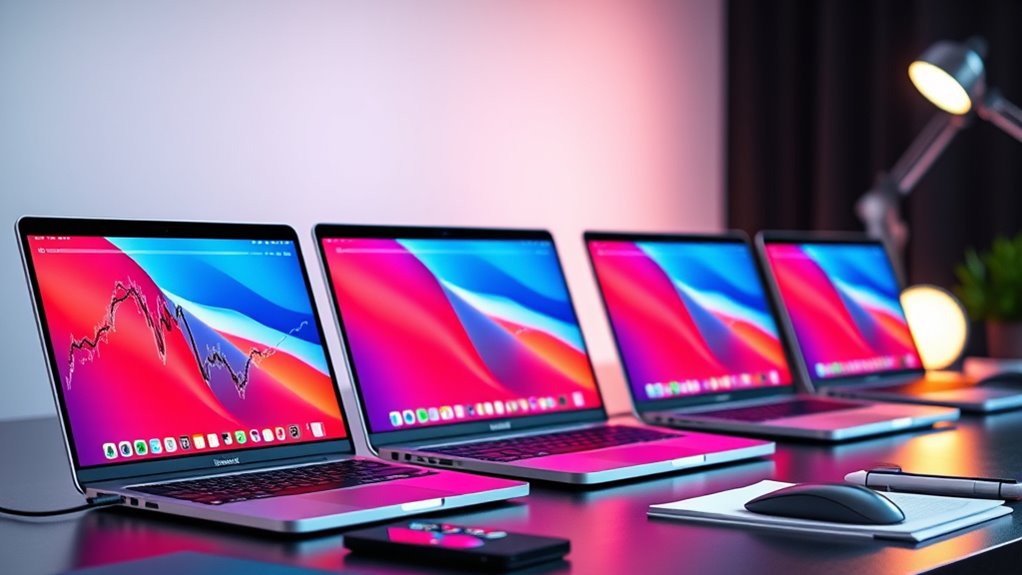

For college power users, I’d start with the 14-inch M5 Pro with 48GB memory if you want strong multitasking without carrying a large laptop, the 16-inch M5 Pro with 48GB if screen space and demanding creative work come first, and the 2025 14-inch M5 if your workload is substantial but does not need a Pro-tier chip. Those picks cover the main decision: how much sustained performance and memory you need, balanced against the size and weight you will carry between classes.

Get pool and patio gear delivered free with Prime
- Fast, free delivery on millions of items
- Prime Video, Amazon Music and more included
- Member-only deals all year
My ranking favors newer chips and useful memory headroom, then adjusts for portability, display size, connectivity, and uncertainty in the supplied specifications. The two 16-inch models offer roomier workspaces but weigh 4.71 pounds; the compact M5 Pro configuration pairs 48GB with a more campus-friendly format, though its listing omits battery and weight details. An older renewed M1 Pro can still suit a budget-conscious student, but its age, smaller SSD, and renewal condition make it a more qualified choice.
Complete the kit



Key Takeaways
- Best balanced power: The 14-inch M5 Pro with 48GB memory combines substantial multitasking headroom with a smaller display footprint than either 16-inch option.
- Best for large-screen workloads: The 16-inch M5 Pro with 48GB memory offers the strongest listed memory configuration and Thunderbolt 5 connectivity, but its 4.71-pound weight is a campus tradeoff.
- Best for most demanding students: The 16-inch M5 Pro with 24GB memory retains the same listed CPU and GPU as the 48GB model while giving up memory headroom, not the large display.
- Best for balanced budgets: The 2025 14-inch M5 has 1TB storage and a premium XDR display, but its 16GB memory is less suited to very large creative or technical workloads.
- Older-workhorse alternative: The renewed 2021 16-inch M1 Pro supplies 32GB memory and a large screen, but condition, warranty, and 512GB storage deserve extra scrutiny.
| Apple 14-inch MacBook Pro CTO Laptop with M5 Pro Chip, 48GB Memory, 1TB SSD, Space Black |  | Best Overall: portable high-memory M5 Pro power | Processor: Apple M5 Pro, 15-core CPU | Graphics: 16-core GPU, integrated shared memory | Memory: 48GB unified memory | VIEW ON AMAZON | See Our Full Breakdown |
| Apple 2026 MacBook Pro Laptop with M5 Pro Chip, 16.2-inch Liquid Retina XDR Display, 48GB RAM, 1TB SSD, Wi-Fi 7, Space Black |  | Best Premium: large-screen work with 48GB memory | Processor: Apple M5 Pro, 18-core CPU | Graphics: 20-core GPU | Display: 16.2-inch Liquid Retina XDR | VIEW ON AMAZON | See Our Full Breakdown |
| Apple 2026 MacBook Pro 16.2-inch Laptop with M5 Pro Chip, 24GB Unified Memory, 1TB SSD, Space Black |  | Best for Big-Screen Pro Work: current chip, lower memory tier | Processor: Apple M5 Pro, 18-core CPU | Graphics: 20-core GPU | Display: 16.2-inch Liquid Retina XDR, 1600-nit peak brightness | VIEW ON AMAZON | See Our Full Breakdown |
| Apple 2025 MacBook Pro Laptop with M5 Chip, 14.2-inch Liquid Retina XDR Display, 16GB RAM, 1TB SSD, Space Black |  | Best for Most Students: capable 14-inch standard-chip option | Processor: Apple M5, 10-core CPU and GPU | Display: 14.2-inch Liquid Retina XDR | Memory: 16GB unified memory | VIEW ON AMAZON | See Our Full Breakdown |
| Apple 2021 MacBook Pro with M1 Pro Chip, 16-inch, 32GB RAM, 512GB SSD, Space Gray (Renewed) |  | Best Older Workhorse: large screen and 32GB memory | Processor: Apple M1 Pro, 10-core CPU | Graphics: 16-core GPU | Memory: 32GB | VIEW ON AMAZON | See Our Full Breakdown |
| macbook pro for college power user | Processor | Memory | Storage | Display |
|---|---|---|---|---|
| Apple 14-inch MacBook Pro CTO | Apple M5 Pro, 15-core CPU | 48GB unified memory | 1TB SSD | 14-inch LED, 3024 × 1964, 120Hz |
| Apple 2026 MacBook Pro Laptop | Apple M5 Pro, 18-core CPU | 48GB unified memory | 1TB SSD | 16.2-inch Liquid Retina XDR |
| Apple 2026 MacBook Pro 16.2-in | Apple M5 Pro, 18-core CPU | 24GB unified memory | 1TB SSD | 16.2-inch Liquid Retina XDR, 1600-nit peak brightness |
| Apple 2025 MacBook Pro Laptop | Apple M5, 10-core CPU and GPU | 16GB unified memory | 1TB SSD | 14.2-inch Liquid Retina XDR |
| Apple 2021 MacBook Pro with M1 | Apple M1 Pro, 10-core CPU | 32GB | 512GB SSD | 16.2-inch Liquid Retina XDR, 3456 × 2234 |
More Details on Our Top Picks
Apple 14-inch MacBook Pro CTO Laptop with M5 Pro Chip, 48GB Memory, 1TB SSD, Space Black
I rank this first because it pairs the lineup’s strongest campus-friendly balance with 48GB of unified memory and a 1TB SSD. Its 15-core CPU and 16-core GPU M5 Pro configuration is aimed at demanding work, while the 14-inch format is easier to fit into a daily class routine than the 16-inch M5 Pro models. For a student who wants many applications, sizeable project files, and creative tools open together, the memory capacity is a more meaningful differentiator than simply choosing the biggest screen.
Compared with the 16-inch M5 Pro with 48GB, this model gives up screen area and has a different listed chip configuration, but it avoids that option’s stated 4.71-pound weight. It also has 48GB rather than the 16-inch 24GB model’s memory capacity, making it a better fit for larger multitasking loads. The main caveat is that the listing does not provide battery-life or weight details, so I can’t rank its actual unplugged endurance or carry burden as confidently as its specs suggest.
The supplied display details identify a 14-inch, 3024-by-1964 panel with a 120Hz refresh rate, but do not explicitly label it Liquid Retina XDR. I’d choose it for a power user who values memory headroom in a smaller chassis; students whose work depends on a large editing canvas may prefer one of the 16-inch picks instead.
Pros:- 48GB unified memory supports demanding multitasking and larger projects.
- M5 Pro chip with a 15-core CPU and 16-core GPU targets professional workloads.
- 1TB SSD offers more local project space than the renewed 2021 model.
- 14-inch, 120Hz display is more compact than the 16-inch alternatives.
Cons:- Battery life and weight are not specified in the supplied details.
- The display is described as LED rather than explicitly identified as Liquid Retina XDR.
- Its smaller screen is less suited to timeline editing and extensive split-screen work.
Best for: Students who run memory-intensive creative, coding, or research workflows and want a smaller MacBook Pro format.
Not ideal for: Students who need a verified battery-life figure, specified weight, or the widest possible built-in workspace.
- Processor:Apple M5 Pro, 15-core CPU
- Graphics:16-core GPU, integrated shared memory
- Memory:48GB unified memory
- Storage:1TB SSD
- Display:14-inch LED, 3024 × 1964, 120Hz
- Color:Space Black
- Power adapter:70W USB-C
Our verdict“I’d choose this 14-inch M5 Pro for demanding college workloads when 48GB memory and a smaller footprint matter more than a 16-inch screen.”
Apple 2026 MacBook Pro Laptop with M5 Pro Chip, 16.2-inch Liquid Retina XDR Display, 48GB RAM, 1TB SSD, Wi-Fi 7, Space Black
This is the big-screen choice for students who want a desktop-like workspace without leaving macOS. Its 16.2-inch Liquid Retina XDR display gives coding windows, creative timelines, and reference material more room than the 14-inch options. The listed 48GB memory and 18-core CPU/20-core GPU M5 Pro configuration also make it the most fully specified high-memory 16-inch pick in this group.
Against the 16-inch M5 Pro with 24GB, the standout difference is memory capacity: the chip and screen size are listed as the same, so students with heavier concurrent workloads have a clear reason to prefer this one. Compared with the 14-inch 48GB M5 Pro, it offers more workspace and Thunderbolt 5, but its 4.71-pound weight is a substantial daily-carry compromise. Wi-Fi 7 and Bluetooth 6 add current wireless connectivity, while HDMI and SDXC can help reduce adapter dependence for presentations and media work.
I place it behind the compact 48GB M5 Pro for overall college fit because a large display is not worth the added carry burden for every student. The supplied listing also gives no measured battery result, so “all-day” should not be read as a workload-specific guarantee. Choose it when screen space and memory capacity outrank portability; skip it if your backpack already carries books and lab gear.
Pros:- 48GB unified memory is suited to demanding multitasking.
- 16.2-inch Liquid Retina XDR display provides generous workspace.
- M5 Pro has an 18-core CPU and 20-core GPU.
- Thunderbolt 5, HDMI, SDXC, and Wi-Fi 7 support versatile connections.
Cons:- At 4.71 pounds, it is the heaviest specified current-generation option here.
- The 16-inch size may be awkward on crowded classroom desks.
- Real-world battery longevity is not quantified in the supplied details.
Best for: Students working with large timelines, complex creative files, code, or multiple windows who want 48GB memory and a 16-inch display.
Not ideal for: Commuters prioritizing a lighter daily carry or students whose workloads fit comfortably on a smaller screen.
- Processor:Apple M5 Pro, 18-core CPU
- Graphics:20-core GPU
- Display:16.2-inch Liquid Retina XDR
- Memory:48GB unified memory
- Storage:1TB SSD
- Connectivity:Wi-Fi 7, Bluetooth 6
- Ports:Thunderbolt 5, MagSafe 3, SDXC, HDMI, headphone jack
- Weight:4.71 pounds
Our verdict“I’d pick this premium 16-inch configuration when 48GB memory and a roomy display justify carrying a 4.71-pound laptop.”
Apple 2026 MacBook Pro 16.2-inch Laptop with M5 Pro Chip, 24GB Unified Memory, 1TB SSD, Space Black
This 16-inch M5 Pro is a strong fit for a student who wants a large built-in workspace but does not need the 48GB memory configuration. It keeps the 18-core CPU and 20-core GPU listed on the other 16-inch M5 Pro, plus a 1TB SSD, Thunderbolt 5, and support for up to three external displays. The XDR panel’s specified peak brightness and contrast point to a display built for detailed visual work, presentations, and media viewing.
Its main distinction from the 48GB 16-inch model is simple: 24GB instead of 48GB. That leaves it better suited to demanding but moderate-scale projects than workflows that keep very large datasets, virtual machines, or complex creative applications active together. Against the 14-inch M5 Pro with 48GB, this model trades compactness and memory headroom for a bigger screen and more clearly detailed display and connectivity specifications. The shared 4.71-pound weight with the other 16-inch M5 Pro remains a real cost in convenience.
The listing also describes a 12MP Center Stage camera, studio-quality microphones, and six-speaker Spatial Audio, features that help with remote classes and media work but do not replace memory capacity for technical workloads. I place it below the 48GB 16-inch pick for power users because memory headroom can matter more as assignments grow. It makes sense when screen area is the priority and 24GB matches your software and project scale.
Pros:- M5 Pro includes an 18-core CPU and 20-core GPU.
- 16.2-inch XDR display lists 1600-nit peak brightness and 1,000,000:1 contrast.
- 1TB SSD and Thunderbolt 5 support sizeable projects and fast peripheral connections.
- 12MP Center Stage camera and six-speaker audio suit video calls and media work.
Cons:- 24GB memory is half the capacity of the 48GB M5 Pro configurations.
- The 4.71-pound chassis is less convenient for frequent campus travel.
- A large display may be unnecessary for students who mostly work in lectures or libraries.
Best for: Students who need a 16-inch display, current M5 Pro performance, and 1TB storage but do not expect to use memory-heavy workflows.
Not ideal for: Students running large virtual machines, unusually heavy creative projects, or many demanding applications at once.
- Processor:Apple M5 Pro, 18-core CPU
- Graphics:20-core GPU
- Display:16.2-inch Liquid Retina XDR, 1600-nit peak brightness
- Memory:24GB unified memory
- Storage:1TB SSD
- External displays:Up to three
- Wireless:Wi-Fi 7, Bluetooth 6
- Weight:4.71 pounds
Our verdict“I’d recommend this 16-inch M5 Pro when the larger display matters more than the additional memory available in the 48GB versions.”
Apple 2025 MacBook Pro Laptop with M5 Chip, 14.2-inch Liquid Retina XDR Display, 16GB RAM, 1TB SSD, Space Black
This is the more restrained pick for a college user who needs a proper MacBook Pro display and ports but does not need the M5 Pro models’ higher memory configurations. The M5 chip with a 10-core CPU and GPU is positioned for professional and creative tasks, while 1TB of storage leaves space for coursework, apps, and project files. Its 14.2-inch Liquid Retina XDR panel is more manageable in class than the 16-inch alternatives.
Compared with the 14-inch M5 Pro with 48GB, this model gives up the Pro-tier chip and 32GB of listed memory capacity, making it a weaker match for heavy parallel workloads and large projects. In exchange, it has a clearly described set of three Thunderbolt 4 ports, MagSafe 3, SDXC, HDMI, and a headphone jack. Those connections can be useful for students presenting, working with camera media, or using wired accessories. Its 16GB memory is the main ceiling: I would not select it for a course load built around large local AI models, demanding 3D work, or multiple memory-hungry tools at once.
The description claims all-day battery life but supplies no test conditions, so actual runtime will depend on workload and settings. This model is a more sensible fit than the M5 Pro options for students with mixed schoolwork, moderate creative tasks, and a preference for a compact Pro laptop. Choose it for a strong everyday workload, not as the most expandable choice for years of increasingly intense projects.
Pros:- M5 chip with a 10-core CPU and GPU supports demanding everyday work.
- 14.2-inch Liquid Retina XDR display fits a portable campus setup.
- 1TB SSD provides more storage than the renewed 2021 model.
- Thunderbolt 4, MagSafe, SDXC, HDMI, and headphone jack offer useful connection options.
Cons:- 16GB memory is substantially below the 24GB and 48GB M5 Pro options.
- The standard M5 configuration is less suited to the heaviest workloads than M5 Pro.
- Battery-life claim is not accompanied by testing conditions.
Best for: Students doing general coursework, development, and moderate creative work who want 1TB storage and a 14-inch XDR display.
Not ideal for: Students whose classes require very large memory-intensive projects, advanced local AI work, or sustained high-end graphics tasks.
- Processor:Apple M5, 10-core CPU and GPU
- Display:14.2-inch Liquid Retina XDR
- Memory:16GB unified memory
- Storage:1TB SSD
- Battery:All-day claim; no test conditions supplied
- Ports:Three Thunderbolt 4, MagSafe 3, SDXC, HDMI, headphone jack
- Color:Space Black
Our verdict“I’d choose the 2025 14-inch M5 for capable everyday college work when 16GB memory is enough and the M5 Pro models are more machine than needed.”
Apple 2021 MacBook Pro with M1 Pro Chip, 16-inch, 32GB RAM, 512GB SSD, Space Gray (Renewed)
This renewed 2021 MacBook Pro earns a place for students who value a large display and 32GB of memory more than having the newest chip generation. Its M1 Pro with a 10-core CPU and 16-core GPU and 16.2-inch Liquid Retina XDR screen still match the broad shape of a capable creative workstation. The stated 20–21-hour battery figure is notable on paper, though the listing does not describe test conditions and renewed-unit battery condition can vary.
Compared with the 2025 14-inch M5, this model has twice the listed memory and a much larger screen, which may help with complex projects and split-screen work. It loses on storage capacity, however: 512GB rather than 1TB, so large media libraries may need external storage. Compared with the newer 16-inch M5 Pro options, it has an older chip and fewer current-generation connectivity details, though its 32GB memory sits between the 24GB and 48GB M5 Pro choices.
The central concern is not just age but the renewed condition: the supplied information warns that warranty coverage may be limited. I would inspect the seller’s return policy, battery condition, and warranty terms before choosing it. It ranks last because students need to weigh those uncertainties against the appeal of a capable older configuration. It suits someone who can accept a refurbished unit; anyone needing predictable condition and newer hardware should favor an M5-family pick.
Pros:- 32GB RAM offers more memory than the standard M5 configuration.
- 16.2-inch Liquid Retina XDR display gives generous workspace.
- M1 Pro has a 10-core CPU and 16-core GPU.
- Listed battery life is 20–21 hours, though testing conditions are not provided.
Cons:- Renewed condition may come with limited warranty coverage.
- 512GB SSD is the smallest storage capacity in this roundup.
- M1 Pro is an older chip generation than the M5 and M5 Pro options.
Best for: Students seeking a large-screen MacBook Pro with 32GB memory and who are comfortable evaluating a renewed product’s condition and warranty.
Not ideal for: Buyers who need a new unit, a clear warranty, 1TB internal storage, or the latest chip generation.
- Processor:Apple M1 Pro, 10-core CPU
- Graphics:16-core GPU
- Memory:32GB
- Storage:512GB SSD
- Display:16.2-inch Liquid Retina XDR, 3456 × 2234
- Refresh rate:120Hz
- Battery:20–21-hour listing claim; test conditions not supplied
- Condition:Renewed; warranty may be limited
Our verdict“I’d consider this renewed M1 Pro only when 32GB memory and a 16-inch screen outweigh the risks of older hardware and uncertain renewal terms.”

How We Picked
I ranked these laptops for the needs of a college power user, not for general-purpose student use. That means I focused on chip capability, unified memory, storage, screen workspace, portability, and ports—the things that can shape workloads such as software development, design, video editing, data analysis, and running many demanding apps at once. I gave newer M5-family configurations an advantage where their listed specifications support it, while distinguishing the standard M5 from M5 Pro rather than treating the chip names as interchangeable.
I also weighed practical campus tradeoffs. A larger display can make coding, timelines, spreadsheets, and split-screen work more comfortable, but a 16-inch model is a heavier daily carry than a 14-inch model. Memory capacity matters when projects and applications grow, while a 1TB SSD gives more local room than the renewed M1 Pro’s 512GB. Ports can reduce the need for adapters, especially for students connecting external displays, cameras, or classroom equipment.
Where supplied product details are incomplete or inconsistent, I avoid filling gaps with assumptions. The 14-inch M5 Pro listing does not specify battery life or weight, and the renewed model may vary in condition and warranty. I do not treat unprovided pricing, battery test results, or buyer feedback as evidence. The order reflects fit for demanding college work, balanced against the compromises visible in each listing.
| macbook pro for college power user | Processor |
|---|---|
| Apple 14-inch MacBook Pro CTO | Apple M5 Pro, 15-core CPU |
| Apple 2026 MacBook Pro Laptop | Apple M5 Pro, 18-core CPU |
| Apple 2026 MacBook Pro 16.2-in | Apple M5 Pro, 18-core CPU |
| Apple 2025 MacBook Pro Laptop | Apple M5, 10-core CPU and GPU |
| Apple 2021 MacBook Pro with M1 | Apple M1 Pro, 10-core CPU |
Factors to Consider When Choosing Macbook Pro For College Power Users
I’d choose a MacBook Pro for college only when your workload benefits from its performance, display, or connection options. The right model depends less on a broad label like “power user” and more on whether you run memory-heavy applications, need a large editing workspace, or carry your laptop all day.
Match memory to the work you actually do
Memory affects how comfortably a laptop can keep demanding applications and large projects active at once. In this lineup, the 16GB M5 is the sensible fit for substantial everyday work, while 24GB or 32GB offers more headroom for heavier multitasking. The 48GB M5 Pro configurations make the clearest case for students using large creative projects, virtual machines, or memory-intensive tools. I would not buy extra capacity just for a course title; look at the applications and file sizes your program expects.
Pick screen size against daily carry
A 16-inch display gives more room for code, timelines, documents, and side-by-side windows. It can reduce the need to connect an external monitor in a dorm or studio. The tradeoff is plain: both specified current 16-inch M5 Pro models weigh 4.71 pounds, before a charger and books go into your bag. A 14-inch model makes more sense if you move between lectures, libraries, and labs throughout the day. For intensive desk work, a larger screen may be worth that load; for a mobile schedule, compactness counts.
Treat storage as project space
Four of the five options list a 1TB SSD; the renewed M1 Pro lists 512GB. Coursework itself may not fill a drive quickly, but video, design assets, datasets, development environments, and offline media can. If your major involves large files, compare internal storage with the cost and convenience of an external drive, while remembering that external storage adds another item to carry and manage. I favor 1TB as the more flexible starting point in this particular group.
Use ports to plan your desk setup
The M5 and M5 Pro listings include combinations of Thunderbolt, MagSafe, HDMI, SDXC, and a headphone jack. These can simplify connecting displays, cameras, storage, and classroom equipment. The 2025 M5 specifies Thunderbolt 4; the newer M5 Pro listings specify Thunderbolt 5. Do not buy based on the port name alone: check that your monitor, dock, or storage device uses a compatible connection and that your program actually needs the faster workflow.
Read claims and renewal terms carefully
Battery descriptions here range from “all-day” language to a stated 20–21 hours, but no shared test method is supplied. Heavy rendering, video calls, high brightness, and intensive applications can change runtime, so I treat these figures as listing claims rather than a direct comparison. The renewed 2021 model deserves extra checks for battery condition, return terms, and warranty coverage. For the 14-inch M5 Pro, the supplied listing omits both weight and battery details, so those practical points remain unknown.
Frequently Asked Questions
Which MacBook Pro in this roundup is best for demanding college work?
I rank the 14-inch M5 Pro with 48GB memory as the best overall fit because it combines substantial memory headroom, a 1TB SSD, and a smaller format than the 16-inch models. Students who need a larger canvas should instead compare the two 16-inch M5 Pro configurations, choosing between 24GB and 48GB according to their workload.
Is 16GB of memory enough for a college power user?
It can be enough for coursework, coding, research, and moderate creative tasks, especially when you do not run many demanding applications at once. The 2025 14-inch M5 offers 16GB, but students working with large datasets, virtual machines, complex media projects, or several memory-heavy tools should look at the 24GB, 32GB, or 48GB options instead.
Should I choose a 14-inch or 16-inch MacBook Pro for campus?
I’d choose 14 inches if you carry your laptop between classes often or value a smaller desk footprint. A 16-inch display is more comfortable for long coding sessions, visual editing, and split-screen work, but the listed current 16-inch models weigh 4.71 pounds. The right choice depends on whether screen area or daily portability matters more to you.
Is the renewed 2021 MacBook Pro still worth considering?
It may suit a student who wants a 16-inch display and 32GB memory and is willing to check a renewed unit carefully. Its M1 Pro is older than the M5-family chips in this roundup, its SSD is 512GB, and its warranty may be limited. Review the return policy, battery condition, and coverage before relying on it for a full course schedule.
Which option is best for creative college majors?
For demanding creative work, I’d start with an M5 Pro model and choose screen size and memory based on project scale. The 16-inch 48GB configuration suits large timelines and heavy multitasking; the 14-inch 48GB option favors a smaller carry format; and the 16-inch 24GB model gives up some memory headroom while retaining the large XDR display. Students doing lighter creative work may find the standard M5 sufficient.
Conclusion
For the broadest mix of college power and portability, I’d choose the 14-inch M5 Pro with 48GB memory. Students who need the biggest built-in workspace should pick the 16-inch M5 Pro with 48GB, while those who want the same screen size with less memory headroom can consider the 24GB version. For general coursework and moderate creative projects, the 2025 14-inch M5 is the more restrained fit. I’d reserve the renewed 2021 M1 Pro for buyers who specifically want its 32GB memory and large display and are prepared to check its condition and warranty closely.
Veterans Day Picks

Shark Matrix Plus 2-in-1 Robot Vacuum and Mop with 60-Day Self-Emptying Base
As an affiliate, we earn on qualifying purchases.